 NL
 EN
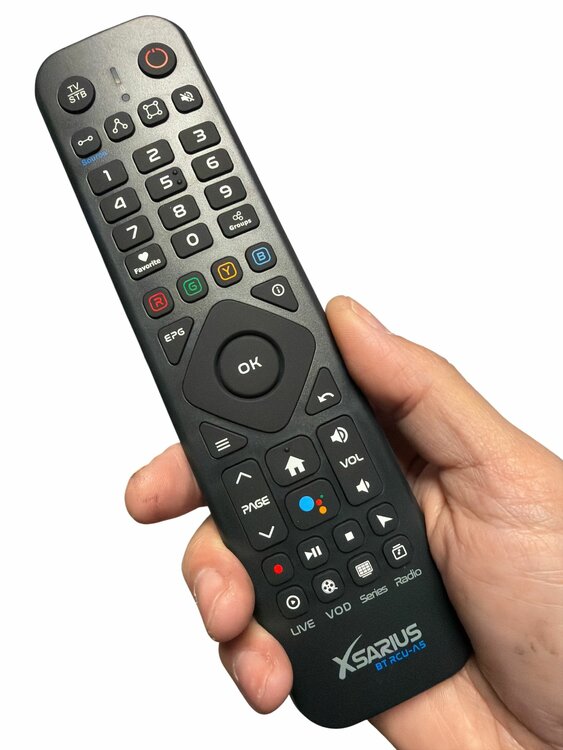
Xsarius Android user guide
Basic equipment controls and features. Available functions depend on your model and application.
7 pages · English · October 2026
PRACTICAL HELP FROM ASAT.NL
Connect your box, learn the controls or solve a problem. Find practical equipment guidance, one step at a time.
FROM SETUP TO SOLUTION
Everyday use
From the home screen to the function you need. Start with four essential buttons, then explore the menus available on your own box.
Read the guideButtons & pairing
Which button does what? What should you check if the box stops responding? Start by identifying both your box model and your remote control.
Read the guideGetting started
Start with the cables and the correct TV input. This sequence helps you check the television, box and internet connection one step at a time.
Read the guideConnection
A working connection starts with your own network. Choose wifi or a cable and check the connection before opening an app.
Read the guideTroubleshooting
Start with what your television displays. ‘No signal’, missing sound and a single failing app each call for different checks.
Read the guideNo guide found. Try a different word or view all topics.
KEEP A COPY OFFLINE
Keep the existing guides on your phone, tablet or computer.
Choose the app store for your smartphone or tablet. The app is called MyTV GO+.
The app does not include channels or a subscription. Follow the manufacturer’s instructions for app activation.
Specifications and product information from original Xsarius leaflets.
View and download leaflets →Basic equipment controls and features. Available functions depend on your model and application.
7 pages · English · October 2026General app guidance for smartphones and tablets. Contact the provider for questions about an external service.
3 pages · English · October 2026